Scheduled Rollouts
Scheduled rollouts let teams create a release run once, start it, and let FeatureFlare advance later steps on a timed cadence.
Use this flow when the step sequence is already agreed, the monitoring window is known in advance, and you want the board to keep moving without a human clicking every promotion.
Configure the schedule from the Release tab
Open the feature from the board, switch to Release, choose the target environment, and define the step percentages for the run. Each later step has its own delay field, so the schedule is configured directly per step instead of being packed into one combined input.
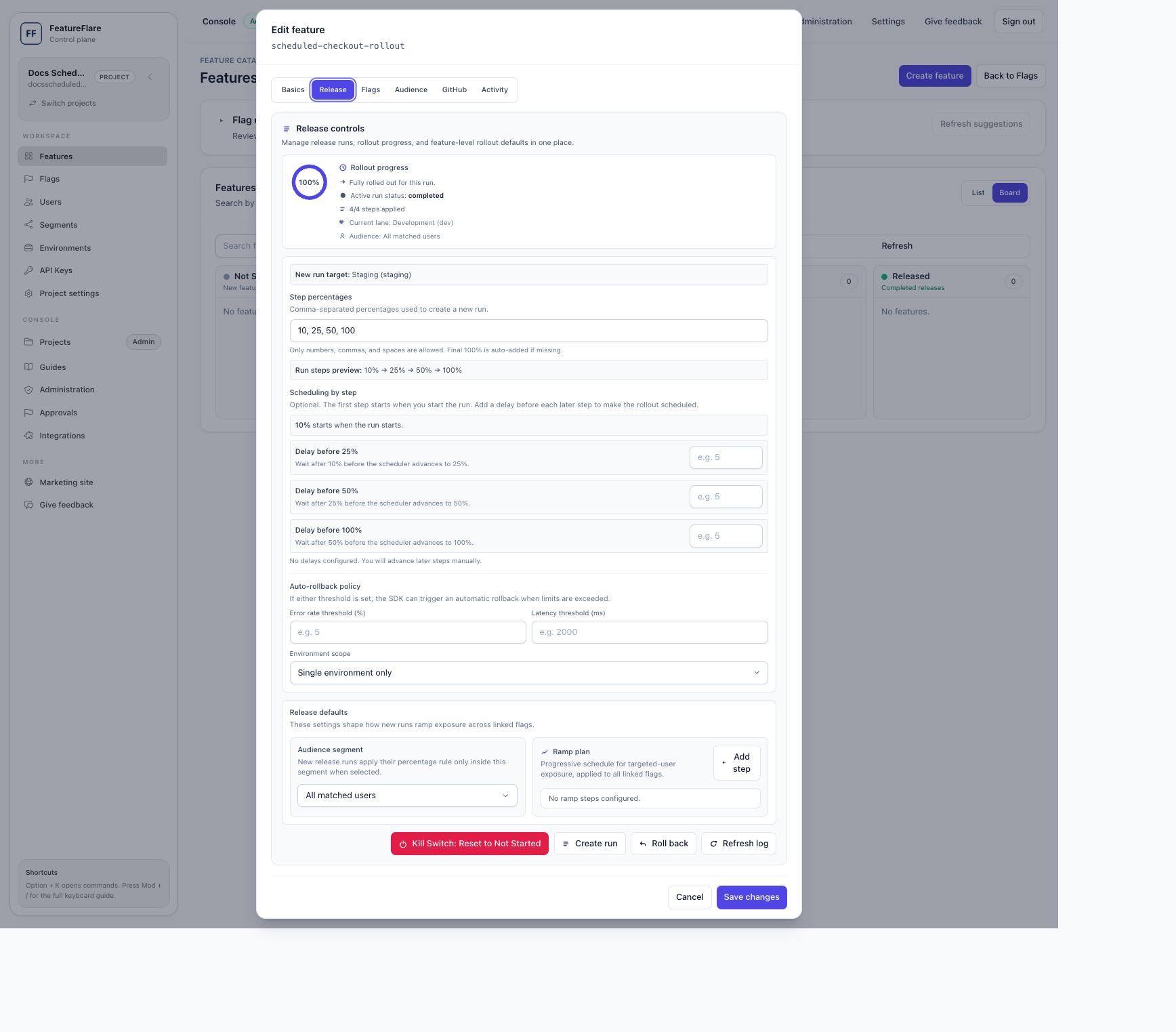
How to create a scheduled rollout
- Open the target feature and go to the Release tab.
- Confirm the target environment for this run.
- Set the rollout steps, such as 10%, 25%, 50%, and 100%.
- Leave the first step at run start, then set a non-negative minute delay before each later step you want the scheduler to advance automatically.
- Create the run, provide the required change reason, and start the run when the launch window begins.
Important shortcut behavior
The board shortcut for moving a feature into the next lane creates an immediate rollout. If you need timed progression, configure the run from the Release tab before you start it.
Monitor the run from the board
Once started, the board shows the current percentage, the target lane, and the next scheduled step. This gives release managers a fast read on whether the rollout is still moving or needs intervention.
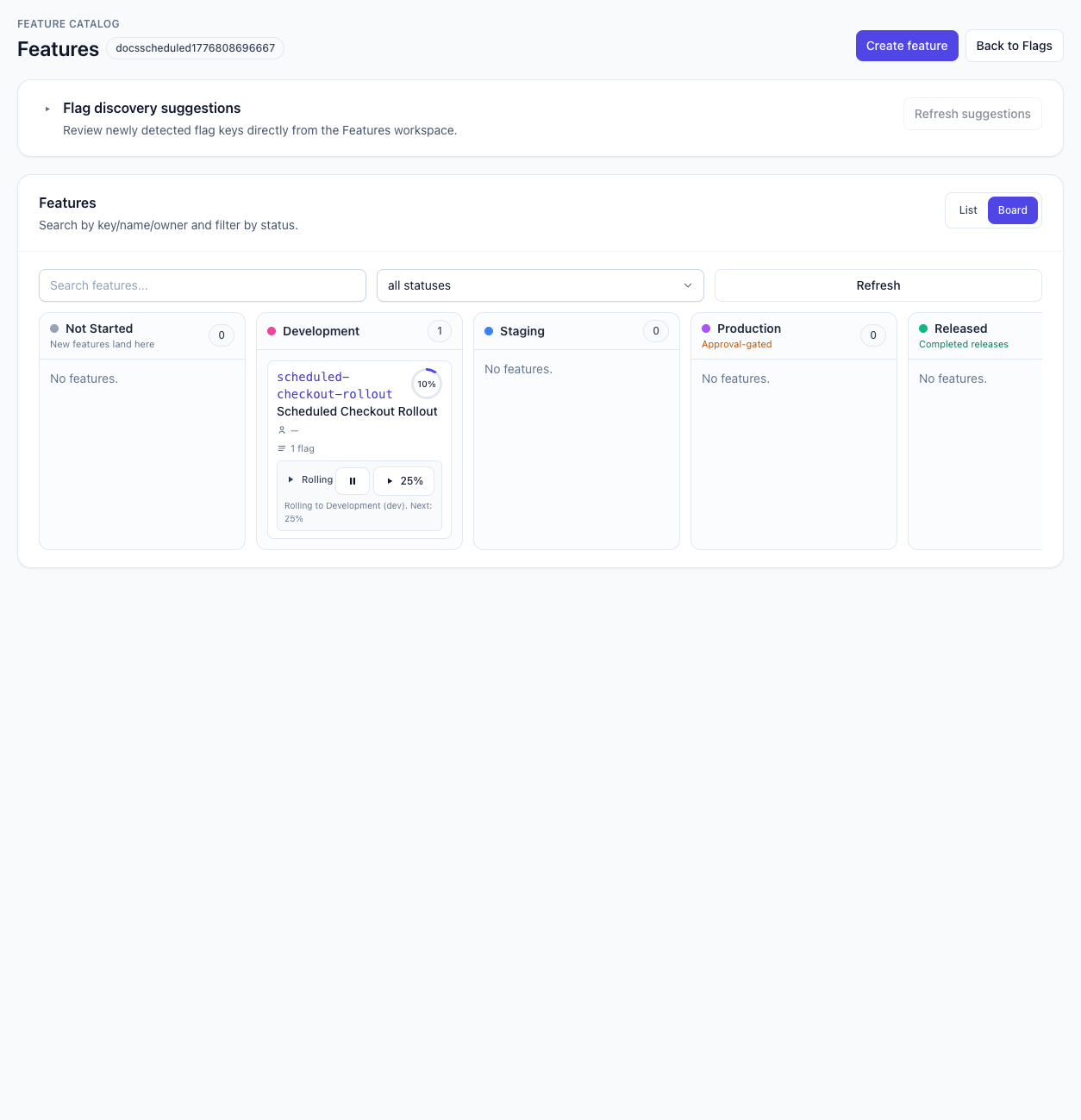
Operating guidance during the schedule
Scheduled steps only auto-advance when the run was created with explicit delays. Between steps, watch the same signals you would for a manual rollout: errors, latency, support noise, and the core business metric that justified the launch.
If confidence drops, pause before the next scheduled step or roll back immediately. If the run is healthy, leave it alone and let the scheduler carry it forward. Manual continue remains available, but it should be used deliberately because it overrides the waiting period for the next gap.
When to choose scheduled vs. manual
- Choose scheduled when the rollout path is pre-approved and the observation windows are predictable.
- Choose manual when each step needs a human decision, external sign-off, or a live readout from an active incident window.
- For production launches, define rollback criteria before the first step starts, even if the cadence is automatic.
Related docs
- Features Workspace for the broader board and feature lifecycle flow.
- Projects Console Workflow for project entry and workspace navigation.