Features Workspace
The Features workspace is where teams create feature records, review discovery suggestions, and move releases through environment columns.
More on this: entry to this page starts in Projects Console Workflow.
Page layout
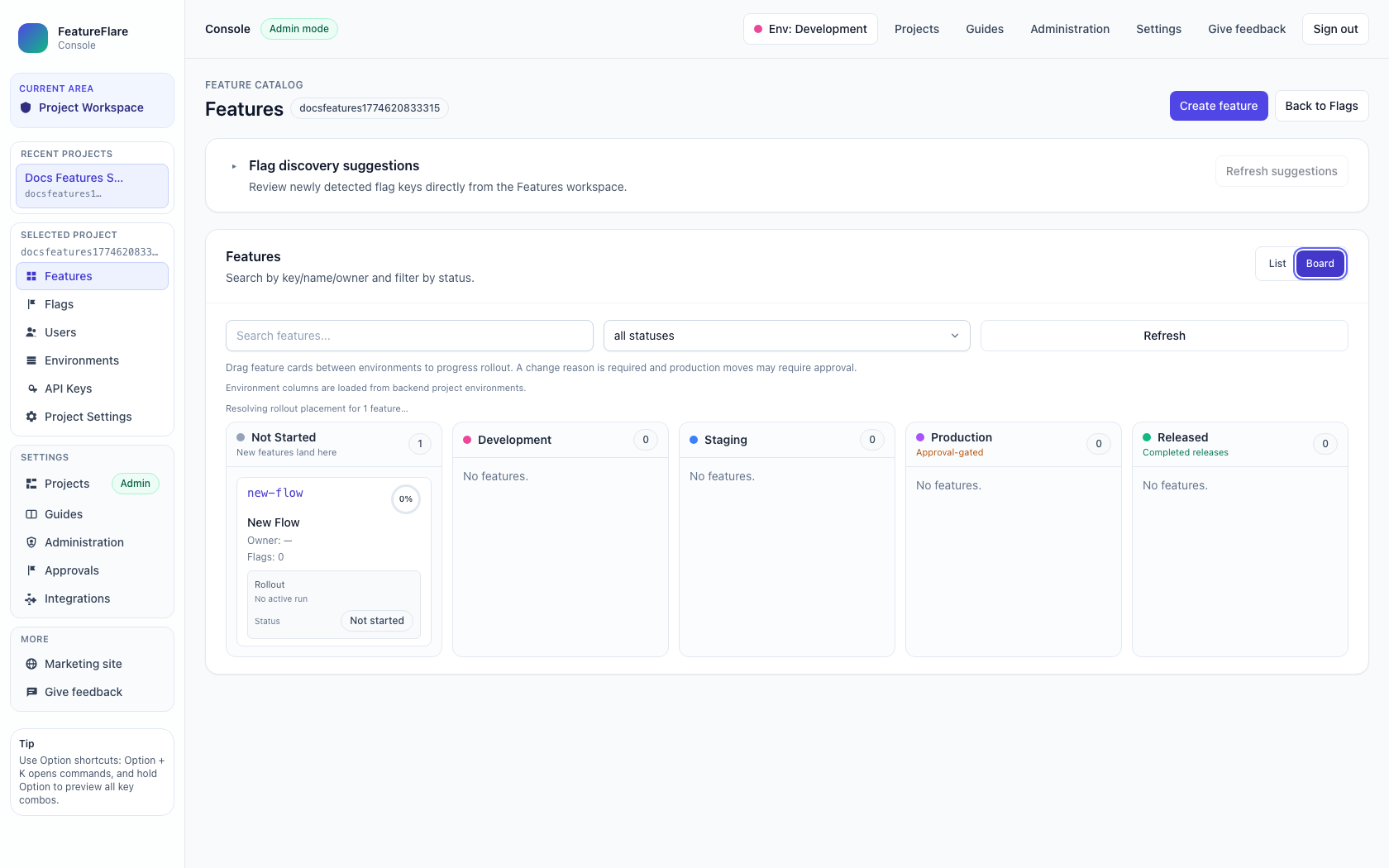
What each section does
- Feature Catalog header: identifies current project and provides Create feature and Back to Flags actions.
- Flag discovery suggestions: lists detected flag keys for review and mapping into managed workflows.
- View controls: switch between List and Board views depending on operational need.
- Filters: search by key/name/owner and narrow by feature status.
- Board columns: drag features between environments to progress rollout with governance checks.
How to use this page
- Create a new feature or open an existing one from the list/board.
- Review discovery suggestions and connect them to the intended feature lifecycle.
- Use Board view to move features from development toward production and released states.
- Provide required change reason and approvals when moving into governed environments.
Related docs
- Projects Console Workflow for project creation and workspace entry.
- Quickstart for SDK integration after feature governance setup.